
By default, Vaadin components are rendered with minimal base styles. These provide a neutral foundation—useful when you want to build a custom theme from scratch or create a look that differs from the built-in options.
Vaadin comes with two main themes: Lumo and Aura. Lumo is the original theme, built around a flexible set of design tokens and supporting variants like dark mode and compact density. Aura, introduced more recently, offers a more modern and polished visual style out of the box.
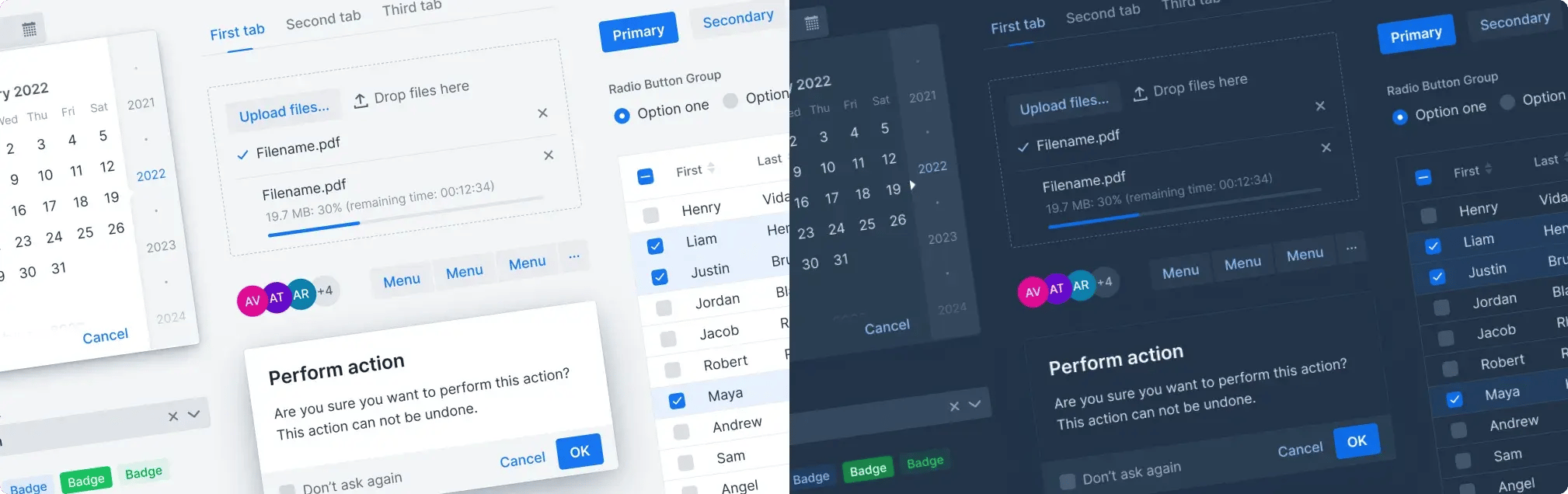
Lumo theme in light and dark mode.
Styling for just one of these themes is usually straightforward. The challenge begins when you need your custom components to work seamlessly across both.
That’s where things can start to drift. Components may look correct in isolation, but small differences in spacing, focus styles, or states can make the overall UI feel inconsistent.
This guide presents a practical, production-ready approach for styling Vaadin components so they work cleanly in both Aura and Lumo. It focuses on three real integration styles from this project:
- Color Picker (custom Lit web component)
- Bean Table (server-side component with custom DOM)
- Pivot Table (third-party JavaScript widget through connector)
The main goal is visual cohesion: custom components should feel native next to standard Vaadin components in both Aura and Lumo.
What visual cohesion means in practice
Visual cohesion isn’t about pixel-perfect matching—it’s about consistency in how components behave and communicate state.
In practice, users don’t consciously compare components. Instead, they pick up on subtle UX cues. When those cues are inconsistent, the UI feels fragmented—even if every individual component looks fine on its own.
In practice, cohesion is measured by whether custom and built-in fields share the same UX cues:
- Required indicator behavior – How required fields are marked (asterisk, placement, spacing). Inconsistencies here make forms feel uneven and harder to scan.
- Focus treatment – The visual language for focus—ring, border, shadow, or combination. This is critical for both usability and accessibility, and mismatches are immediately noticeable.
- Read-only and disabled affordances – How non-interactive fields are presented. Differences in opacity, contrast, or styling can confuse users about what is editable.
- Invalid state contrast and border handling – Error colors, border styles, and contrast. These need to feel consistent across components to maintain clarity and trust.
- Dialog/popup surfaces, radii, and elevation – Background colors, border radius, and elevation (shadows). These define the overall “material feel” of the UI and are especially noticeable when mixing components.
If these elements behave consistently, custom and built-in components feel like part of the same system. If they don’t, the UI starts to feel stitched together, even if the differences are subtle.
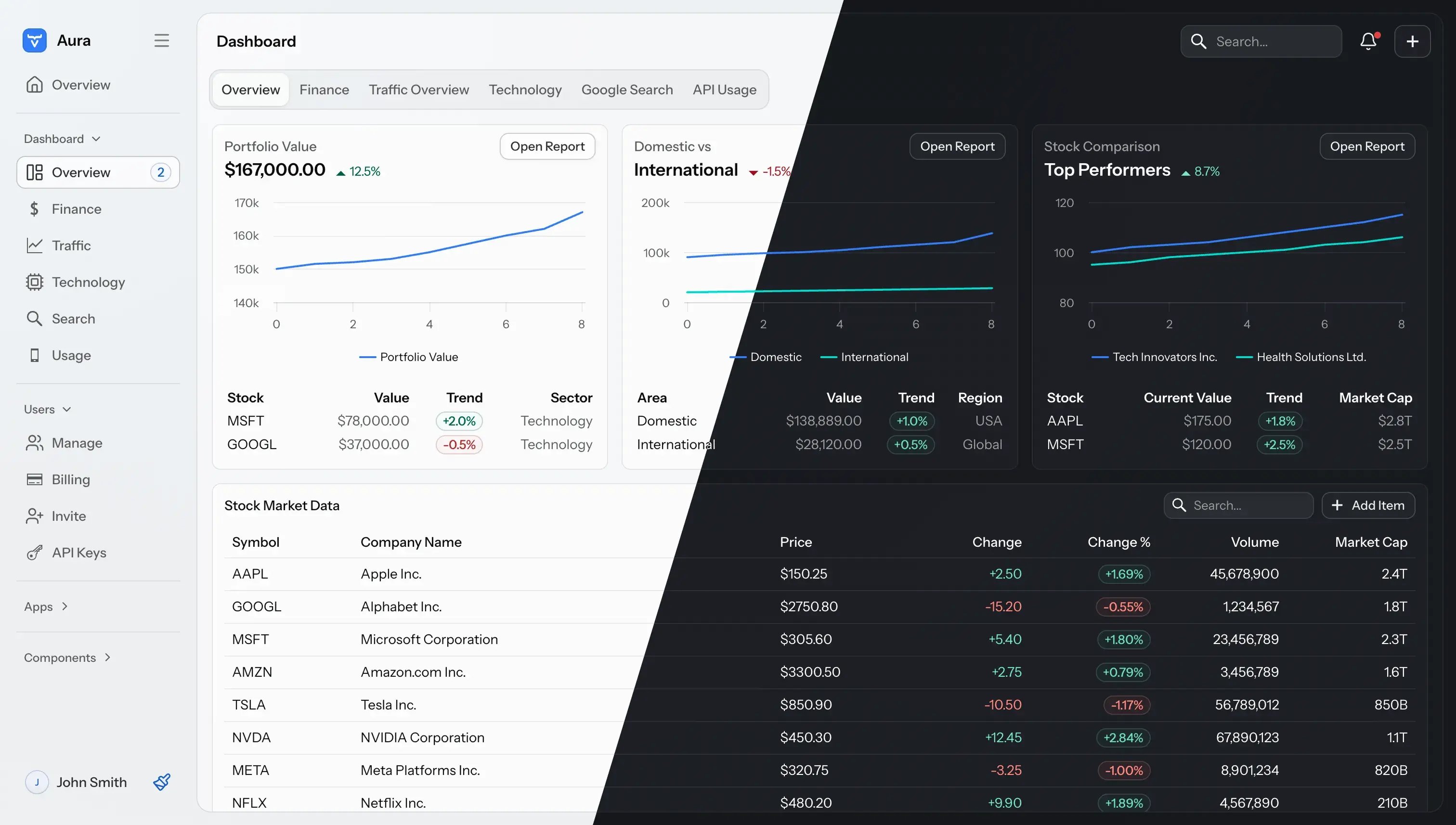
The global color scheme for Aura is either light or dark, depending on the operating system preference.
Core architecture rule
To make this work in practice, you need a clear separation between what stays the same and what changes across themes.
The guiding principle is simple: use one behavior path and one structural DOM path, and let the theme handle only the visual layer.
That means:
- The base structure and behaviour of your component stay the same regardless of theme Theme detection is thin and explicit.
- Styling is token-driven through internal component variables.
This approach keeps maintenance predictable as both themes evolve.
Pattern map by component type
How you apply this pattern depends on the type of component you’re working with – keep it simple and choose the smallest pattern that fits your component architecture.
- For Lit-based web components): Use
ThemeDetectionMixin, style with host selectors, reflect state to host attributes. - For server-side custom components: Detect active theme from root CSS markers, add root class (
auraorlumo), scope CSS under that class. - With third-party JS libraries: Keep vendor CSS as baseline, then override under
.aura ...and.lumo ...with Vaadin tokens. - Finally, for extended Vaadin components (for example checkbox as toggle): Use theme variant
+ ::part(...), and a fallback chain (lumo -> aura -> literal).
Foundation styling pattern for all implementations
Start with internal component tokens and consume only those in shared rules.
```css
.my-component,
:host {
 --my-text-color: var(--vaadin-text-color);
 --my-border-radius: var(--vaadin-radius-m);
 --my-focus-ring-color: var(--vaadin-focus-ring-color);
 --my-padding-s: var(--vaadin-padding-s);
}

.my-component .field,
:host .field {
 color: var(--my-text-color);
 border-radius: var(--my-border-radius);
}

.lumo.my-component,
:host([data-application-theme="lumo"]) {
 --my-border-radius: var(--lumo-border-radius-m);
 --my-padding-s: var(--lumo-space-s);
}

.aura.my-component,
:host([data-application-theme="aura"]) {
 --my-border-radius: var(--vaadin-radius-m);
 --my-padding-s: var(--vaadin-padding-s);
}
```
This removes the need to duplicate full CSS blocks per theme.
Example 1: Color Picker (Lit web component)
Let’s start with the most straightforward case: a Lit-based component.
Color Picker uses ThemeDetectionMixin(ThemableMixin(LitElement)).
- Theme is exposed as
data-application-themeon host. - CSS uses host selectors for Aura and Lumo.
- State is reflected to the host (
invalid,readonly,disabled,required, compact flags).
Minimal pattern:
```typescript
export class MyComponent extends ThemeDetectionMixin(ThemableMixin(LitElement)) {
 static get is() {
 return "my-component";
 }
}
```
´´´css
:host([data-application-theme="aura"][invalid]) .field {
 border-color: var(--vaadin-error-color);
}

:host([data-application-theme="lumo"][invalid][disabled]) .field {
 opacity: 0.7;
}
```
If your component contains nested Vaadin components, make sure to forward the theme so everything stays in sync:
```typescript
<vaadin-custom-field theme="${ifDefined(this.theme)}">
 <vaadin-combo-box theme="${ifDefined(this.theme)}"></vaadin-combo-box>
</vaadin-custom-field>
```
Example 2: Bean Table (server-side custom DOM)
For server-side components, the approach is slightly different. Bean Table cannot use ThemeDetectionMixin because it is not a Lit web component. Instead, it detects the theme on attach and adds class names to the component root.
```java
@CssImport("./my-component.css")
public class MyComponent extends Composite<Div> {
 @Override
 protected void onAttach(AttachEvent event) {
 super.onAttach(event);
 getElement().executeJs(
 "const s=getComputedStyle(document.documentElement);" +
 "const t=s.getPropertyValue('--vaadin-aura-theme').trim()==='1'?'aura':" +
 "(s.getPropertyValue('--vaadin-lumo-theme').trim()==='1'?'lumo':'');" +
 "if(t){this.classList.add(t);}"
 );
 }
}
```
CSS then stays cleanly scoped:
```css
.my-component {
 /* shared rules */
}

.lumo.my-component {
 /* lumo token mapping */
}

.aura.my-component {
 /* aura token mapping */
}
```
One limitation to be aware of: this approach runs at attach time, so it doesn’t automatically react to live theme switching.
Example 3: Pivot Table (third-party legacy JS)
In this case, Pivot Table integrates an older jQuery-based library via a connector. A practical approach:
- Detect the theme in connector before rendering heavy UI.
- Add root class (
auraorlumo). - Keep the library’s native CSS as the baseline.
- Apply Vaadin-specific overrides for each theme.
For this kind of library, expect broader override surfaces than with modern Vaadin components.
Matching Vaadin overlay quality in third-party dialogs
When working with dialogs or popups from third-party libraries, simple color overrides aren’t enough.
To achieve visual parity with Vaadin components, you often need to align with the same underlying design rules:
- Surface and text token mapping
- Radius and border treatment
- Elevation/shadow formulas
- Focus-visible ring behavior
In some cases, this means porting the same “CSS math” used by Vaadin overlays, so that add-on dialogs blend with Aura and Lumo.
Vaadin 25.1+ recommendations
A couple of practical tips can save you time when working across Aura and Lumo.
- Prefer Vaadin 25.1 or newer for Aura adaptation work. Earlier versions of Aura evolved quickly, especially around design tokens and defaults. That made styling harder to stabilize, as small updates could introduce visual inconsistencies. From 25.1 onward, the theme is more predictable, which makes a token-driven approach much easier to maintain.
- Use unprefixed theme variants (25.1) where applicable. They help custom components apply variants that work across both Lumo and Aura, so you can define them once without branching styles or logic per theme and keep your component APIs simpler and more consistent.
Current framework gaps
While the current approach works well, a few gaps still lead to extra duplication in custom components:
- Server-side API for active theme detection.
- Shared JavaScript utility for theme detection usable outside Lit mixins.
- Supported hook for dynamic theme switching in server-side and connector-based components.
Until more standardized support is available, lightweight, reusable helper utilities remain the most practical approach.
Optional acceleration for dual-theme CSS
For larger components or design systems, writing everything by hand can get repetitive. In these cases, a utility-first layering approach can help. Map utility classes to Aura/Lumo token-backed variables for color, radius, spacing, and shadows to reduce repetitive handcrafted CSS.
Practical checklist
When implementing or reviewing a component, this is a good sanity check:
- Pick architecture (Lit, server-side DOM, extended Vaadin component, or connector).
- Define internal
--my-*tokens and consume only those in shared styles. - Add thin theme detection (
data-application-themeor root class tagging). - Keep behavior and interaction logic theme-agnostic.
- Add narrow Aura/Lumo overlays for visual differences.
- Verify required, focus, invalid, readonly, disabled, and combined states.
- Verify nested components and overlays for visual parity.
- Re-test after Vaadin upgrades, especially around theme token changes.
Final takeaway
You do not need separate component implementations for Aura and Lumo. A token-driven styling model plus a small theme-selection layer is enough to make components feel native across both and scales across:
- Lit web components
- Server-side custom components
- Connector-based third-party widgets
- Extended Vaadin components with part-based styling
Once the foundation is in place, supporting both themes becomes a small, predictable layer of work—not a second implementation to maintain.
Have you tried this approach? We’d love to hear what worked (and what didn’t) in your setup. Happy coding!