
Vaadin 25.1 is the first feature release in the 25.x line, and it brings several important upgrades for Java developers. Vaadin Copilot is now free for everyone with a Vaadin.com account. Signals moves from preview to production-ready, giving you a reactive state management model in plain Java. And browserless UI testing, previously part of the commercial TestBench offering, is now free and open source under Apache 2.0.
Beyond those headliners, this release adds new components such as Slider and Badge, a new AI Chat experience, modular upload architecture, and other design system improvements, with several of the newer UI additions arriving as Preview features.
Copilot is now free, with a redesigned workflow
Vaadin Copilot is now free for anyone with a Vaadin.com account, including visual editing, AI-assisted development, Figma-to-code, and source code manipulation.
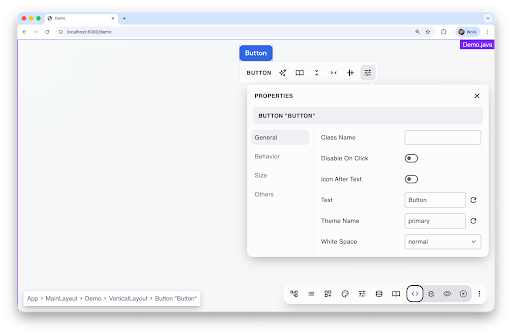
Vaadin 25.1 also introduces a redesigned Copilot experience. As the feature set expanded, the older drawer-based interface had become harder to navigate. The new version replaces it with a clearer toolbar-based approach that keeps the right tools visible without getting in the way.
The new toolbar is organized around four modes:
- Play Mode for interacting with your app normally
- Inspect Mode for exploring your application's structure
- Test Mode for accessibility checks and UI test generation
- Edit Mode for drag-and-drop editing, copy-paste, and AI-powered changes
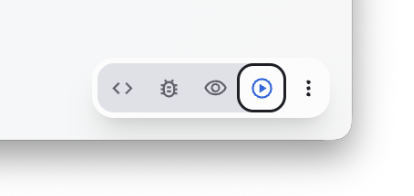 Panels have been refreshed with a more consistent visual style, and Copilot now has a dedicated Settings panel. The result is a simpler, more discoverable workflow that keeps Copilot accessible while you work.
 Signals are production-ready
Signals have been evolving across multiple releases, with feedback from the community shaping the API along the way. In Vaadin 25.1, they are ready for production use.
The core idea is simple: instead of wiring listeners, manually updating components, and cleaning up subscriptions, you declare UI state once and let the framework keep things in sync. That leads to clearer code and a more direct mental model for building interactive UIs.
Component bindings that fit everyday view code
A big part of what makes signals practical in 25.1 is the new binding support across components. New bindXyz methods let components react directly to signal changes. That includes generic bindings such as bindVisible, component-specific bindings, and two-way bindings such as bindValue for input fields.
Here is a small example that shows the difference.
Traditional approach:
```java
var greeting = new Span("");
greeting.setVisible(false);
textField.addValueChangeListener(event -> {
  var name = event.getValue();
  if (name.isBlank()) {
    greeting.setVisible(false);
  } else {
    greeting.setVisible(true);
    span.setText("Hello " + name);
  }
});
```
With signals:
```java
var nameSignal = new ValueSignal<>("");
var greeting = new Span(() -> "Hello " + nameSignal.get());
greeting.bindVisible(() -> !nameSignal.get().isBlank());
textField.bindValue(nameSignal, nameSignal::set);
```
Less listener plumbing, less manual synchronization, and a clearer connection between state and UI.
Local, shared, and computed state
Signals in 25.1 support different kinds of state management needs:
- Local signals for view or component state
- Shared signals for real-time state shared between users
- Computed signals for values derived from other signals
This makes the model useful both for simple single-view state and for collaborative scenarios where multiple users need to stay in sync.
Why this matters
Signals give Vaadin users a more modern way to handle UI state without leaving Java. For teams building larger apps, that means less boilerplate, fewer synchronization mistakes, and a clearer single source of truth for stateful UI behavior.
Browserless UI testing is now free and open source
The UI unit testing capabilities that used to live inside the commercial TestBench product are now available as a free, open-source browserless testing framework.
These tests run directly against your Vaadin UI in the JVM, without launching a browser or a servlet container. That makes them fast, lightweight, and well suited for verifying component behavior early in the development cycle.
You add the standalone dependency:
```xml
<dependency>
   <groupId>com.vaadin</groupId>
   <artifactId>browserless-test-junit6</artifactId>
   <scope>test</scope>
</dependency>
```
And then write tests in a familiar unit-test style:
```java
class HelloWorldViewTest extends BrowserlessTest {

   @Test
   void setText_clickButton_notificationIsShown() {
       var view = navigate(HelloWorldView.class);
       test(view.name).setValue("World");
       test(view.sayHello).click();

       Notification notification = $(Notification.class).single();
       Assertions.assertEquals("Hello World", test(notification).getText());
   }
}
```
This is especially valuable as AI-assisted development becomes more common. When tools generate UI code for you, fast verification matters. Browserless tests fit naturally into a generate-test-iterate loop and remove much of the overhead that usually comes with UI testing.
Design system and platform updates
Alongside the headline features, Vaadin 25.1 includes a broad set of design system and platform improvements. Several of the additions below are Preview features.
AI integration (Preview)
Vaadin 25.1 adds higher-level AI integration support for building LLM-powered interfaces. The new AIOrchestrator coordinates interactions between UI components and LLMs, while built-in provider integrations are available for Spring AI and LangChain4j.
This gives you a stronger starting point for building chat-style and other AI-powered experiences in Vaadin without wiring everything from scratch.
Slider and RangeSlider (Preview)
Vaadin 25.1 adds long-requested slider input components.
Slider for selecting a single value: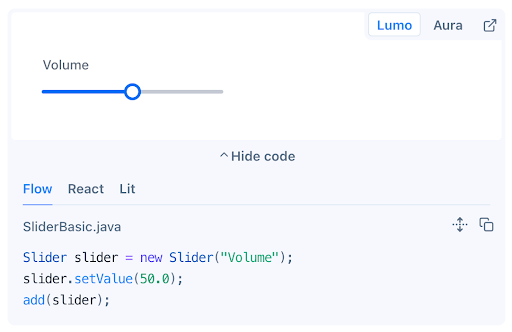
RangeSlider for selecting a range between two values: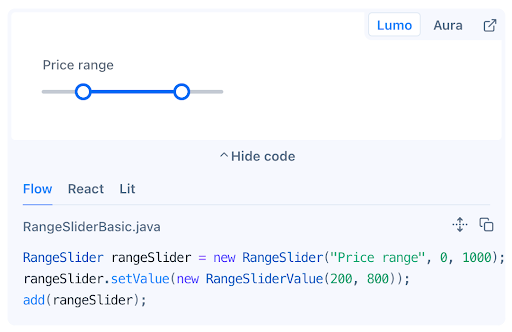
These fill an obvious gap in the design system and should cover a wide range of filtering, configuration, and data-entry use cases.
Badge (Preview)
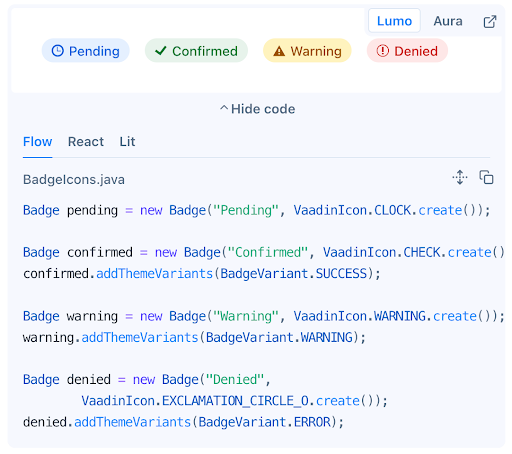
The new Badge component provides a dedicated API for status indicators and notification bubbles. It supports multiple visual variants, including icon-only, number-only, and notification-dot, along with multiple color options.
Modular Upload components (Preview)
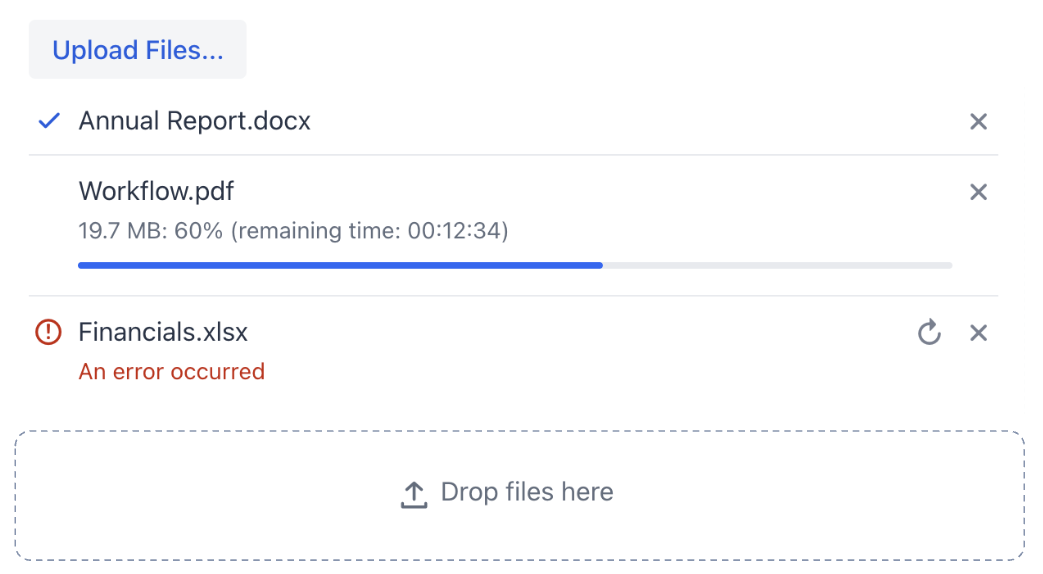
Upload is becoming more composable in 25.1. Instead of relying on one monolithic component, you can now build your upload UI from smaller pieces:
UploadButtonUploadDropZoneUploadFileList
This makes it easier to create upload UIs that fit your own layout and interaction patterns.
MessageList attachments
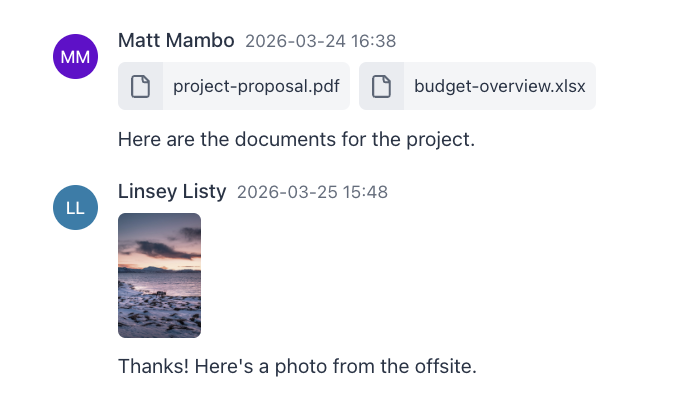
MessageList now supports file attachments and automatic snap-to-bottom scrolling. This is useful for chat and collaboration interfaces, and it also complements the new AI integration features.
Map improvements
The Map component now supports drawing lines and includes a configurable scale indicator, making it more useful for route visualization and other path-based geographic use cases.
Grid: scroll to column
A new scrollToColumn() API lets you programmatically bring a specific column into view. It fills an obvious gap for wide data grids and improves control over more complex table layouts.
Dialog: keep within viewport
Dialogs can now be constrained to the visible viewport with the new keepInViewport option, preventing them from being dragged off-screen.
Spreadsheet: text colors in number formats
Spreadsheet now supports text colors in custom number formats, reducing the need for heavier formatting workarounds when you want number-driven visual cues.
Aura theme enhancements
The Aura theme continues to mature in 25.1, with more component style variants and a refreshed default color palette. Vaadin also adds common, unprefixed *Variant enum options for variants that work in both Aura and Lumo, such as ButtonVariant.PRIMARY.
Run Java Swing in browser
While Swing Modernization Toolkit is not part of Vaadin Framework itself, it is worth calling out the first release of SwingBridge alongside Vaadin 25.1.
SwingBridge enables running Java Swing apps in browser. It is aimed at teams that need to bring existing Swing applications to the web without replacing everything at once. The first release focuses on foundational capabilities needed for real-world apps, including tenant isolation, frame stack and modality management, broad support for file upload and download, and clipboard integration.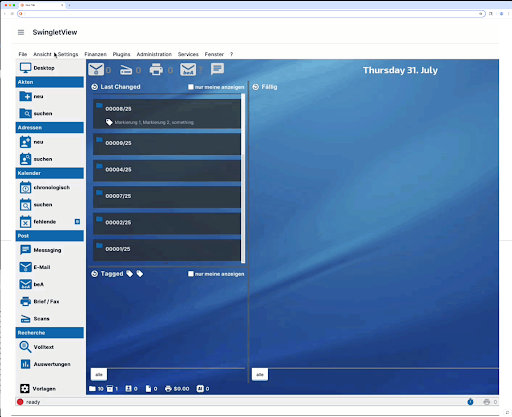
It is an early release, and there is more to come in future iterations. Give it a try, we’re eager to hear your feedback.
🎙️ Join us live on Wednesday, April 1
We’re hosting a live walkthrough of Vaadin 25.1 on Wednesday, April 1 at 15:00 CEST / 9:00 AM ET on YouTube. You’ll see all the key updates in action and hear insights straight from the team. It’s also a great opportunity to ask questions and get them answered live.
Wrapping up
Vaadin 25.1 brings a few substantial improvements. Signals are now ready for production use, Copilot is free, and browserless UI testing is now open source. On top of that, the release adds several useful new components and continues the work around AI integration and more composable UI building blocks.
Whether you're already using Vaadin or just looking at what's new in the framework, the biggest things to check out are Signals for a cleaner state model, browserless testing for faster UI verification, and Copilot if you haven't used it much before.
You can find the full list of changes in the release notes.